
Flashcards are one of the simplest tools a teacher can use to help students move the content of their lessons into long-term memory. But they can still get turned into busywork, cramming aids, or neat-looking decks that nobody actually studies.
The good news is that most flashcard problems follow familiar patterns, and the fixes are usually straightforward.
In this article, we’ll look at the most common mistakes teachers make when using flashcards, especially digital ones like Brainscape, and how to fix them so flashcards do what they are supposed to do: help students remember what they’ve learned.
The flashcard app Brainscape is the main example throughout, because it is built around retrieval practice and spaced repetition. But the same principles apply, even if some of your students have limited device access and are using physical flashcards.
What Is the Most Common Flashcard Mistake Teachers Make?
Mistake: Treating flashcards as lesson summaries instead of retrieval practice tools
If flashcards become little more than short summaries to read over, students may feel familiar with the material without actually being able to recall it from memory. That is the classic trap. Something looks recognizable, so it feels learned, until the test proves otherwise.
Fix: Teach your students how to study flashcards correctly by using active recall.
Set the expectation that every flashcard review should look like this:
- Read the prompt
- Say or write the answer from memory
- Only then flip or reveal the answer
- Rate confidence honestly
- Move on
If you want flashcards to build memory, students need to retrieve the answer, not just read it and passively think, “Yep, that looks familiar.”
A good starting point could be to show your students the following infographic (or even stick it up in your classroom) so that they really begin to understand the difference between passive and active study methods.

Why Do Students Struggle With Motivation, Even When They Have a Great Flashcard App?
Mistake: Assuming the platform creates motivation.
Yes, Brainscape makes reviewing much faster and easier. It even has progress metrics and study streaks designed to keep students motivated in much the same way as fitness watches. But no platform can save flashcards that are unclear, irrelevant, or overwhelming to study.
Fix: Treat card quality as part of the lesson.
How to make good flashcards should be something you teach explicitly, not something students are somehow supposed to know already. (Use The 7 Features of Highly-Effective Flashcards for inspiration.) If students are left to guess what makes a card effective, many of them will do the obvious thing: write cards that are too long, too vague, or copied straight from the textbook.

Are Teachers Overloading Flashcards With Too Much Information?
Mistake: Packing multiple concepts into one card.
This is one of the biggest reasons students say flashcards do not work for them: a card that asks for too much turns every review session into a mini essay!
Fix: One flashcard, one concept.
Each flashcard question should test one clear target. Answers should usually be one or two sentences, or a short list. (You can use the footnote field of Brainscape's flashcards to provide a more detailed explanation. But the main answer field should provide, well, the main, punchy answer!)
If the answer needs a paragraph, it probably needs to be split into several cards. Large topics can often be broken into cards about when, why, how, examples, and exceptions.
A simple way to explain this to students is: “If you miss one part, should the whole card count as wrong?”
If the answer is yes, the card is probably trying to do too much.

That said, there is room in most decks for one or two flashcards per topic that push students into free recall. These are broader prompts that ask students to explain everything they remember about a concept, connect several ideas together, or give a longer, more cohesive explanation in their own words. Used sparingly, these cards can be a powerful way to help students pull together what they have just learned.
The key is restraint. If too many cards require long, detailed responses, students get tired and stop using the deck. But one or two well-placed free-recall prompts per topic can be excellent for helping students synthesize their knowledge.
Are Teachers Using Prompts That Are Too Vague to Study?
Mistake: Writing flashcard questions that don't have a clear or specific "ask".
For example, it’s hard to know what to do with a flashcard question that just says: “Photosynthesis”. Prompts like these do not guide retrieval. They just leave students wondering where to begin.
Fix: Rewrite prompts as specific retrieval tasks.
For example:
“Photosynthesis” becomes “What are the two main stages of photosynthesis?”“World War II” becomes “What event(s) triggered the beginning of WW II?”“Government” becomes “What are the three branches of the U.S. government?”
Specific questions make retrieval repeatable. That is what gives flashcards their value.
Are Teachers Assigning Too Many Free-Recall Cards?
Mistake: Too many “Explain everything about X” cards.
As we mentioned above, free recall can be powerful, but it is demanding. When too many flashcards work this way, students get tired quickly and become demotivated. Remember, each 10-flashcard study round should be frictionless enough to inspire a "just one more round" mentality. This is what helps students make faster progress and stay motivated, but without making it so easy that they find themselves bored.
Fix: Use free recall sparingly.
A better balance is:
- Mostly short, clear question and answer cards for fluency
- A smaller number of synthesis cards for bigger-picture thinking
- Extra detail placed in a footnote field
If you want students to write mini-essays, it is better to assign mini-essays. Flashcards work best when they help students recall key knowledge efficiently.
Are Teachers Accidentally Encouraging Recognition With Multiple Choice?
Mistake: Turning flashcards into multiple-choice quizzes.
Multiple choice has its place, but it often makes retrieval too easy because the answer is sitting right there on the screen. Students can sometimes recognize the right answer without truly recalling it.
Fix: Prefer short-answer prompts.
When students have to produce the answer themselves, they are practicing real recall. That is much closer to what we want them to be able to do.
If, however, the format of the test they’re preparing for is multiple-choice, you could create a special set of flashcards that mimic the content/structure of that test. But it should be done in addition to regular flashcards that exercise your students’ powers of recall.
Are Teachers Skipping Structure and Leaving Students to Figure It Out?
Mistake: No rules for naming, organizing, or formatting decks.
When decks feel messy or inconsistent, students stop trusting them. And if they do not trust your flashcards, they are much less likely to use them.
Fix: Give students a simple deck template.
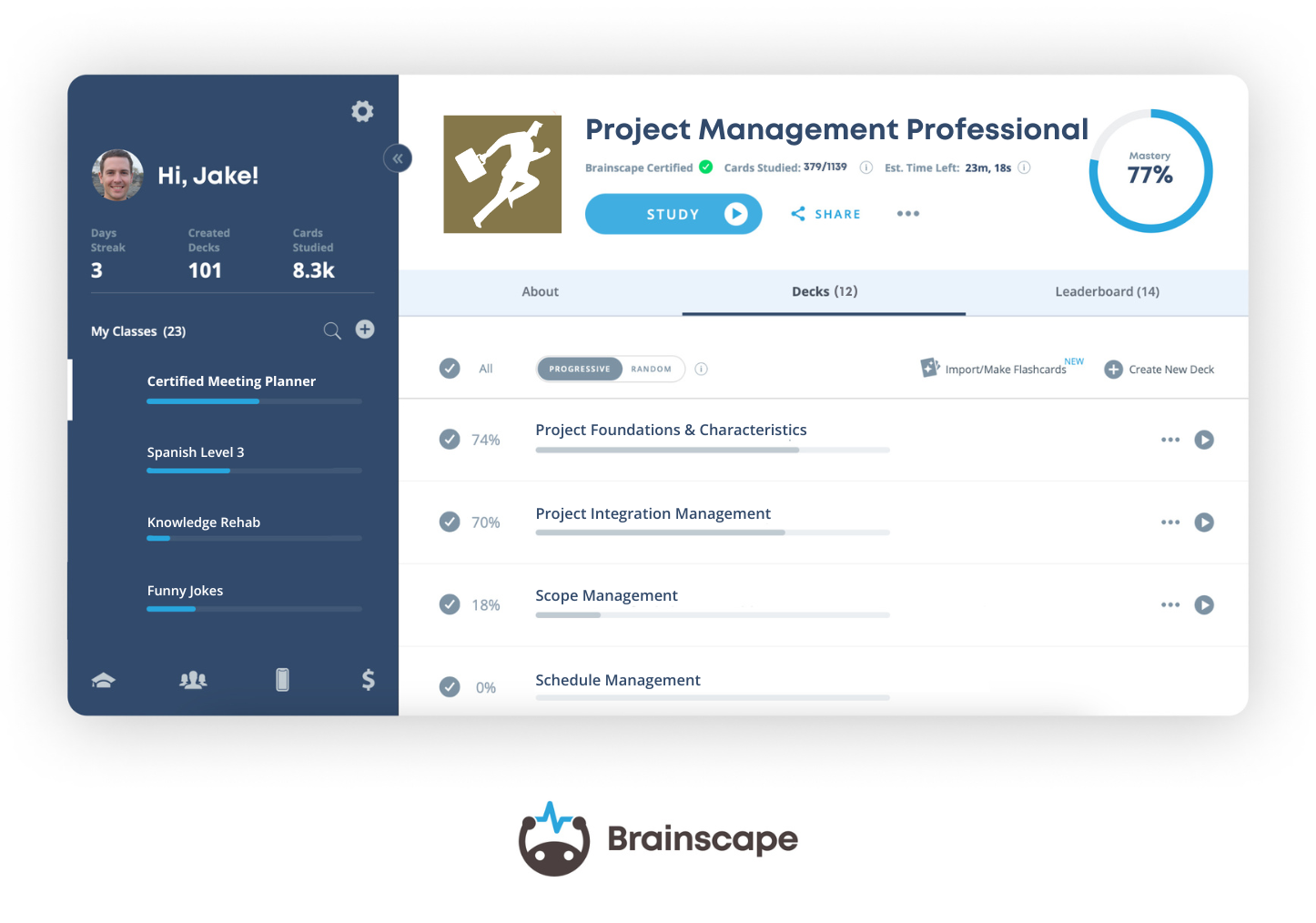
For example, your deck titles can match your curriculum or textbook units, such as “Unit 3: Cell Division”. Tags should show categories such as vocabulary, processes, examples, or formulas.
Plus, flashcards should follow a consistent format:
- Prompt: a precise question
- Answer: a short core answer
- Footnote: examples, exceptions, or explanation
Brainscape’s sharing model is class-based, so consistent naming also makes life easier for teachers managing a library of classes.
Are Teachers Assigning Flashcards Without Accountability?
Mistake: Telling students to make flashcards, but never checking whether they were made or studied.
Students respond to incentives. If flashcards are optional and invisible, they often become something students plan to do later and never quite get around to.
Fix: Grade a small part of the behavior, not the mastery.
You do not need to create a giant grading burden. You can grade one small piece instead:
- Flashcard submission, such as a link to the deck
- Flashcard quality, based on a sample of five cards
- Consistency, such as studying on a certain number of separate days
- Participation points for meeting small weekly goals
Brainscape classes can be shared by invitation or link, which makes it easier to collect deck submissions. Our Learners Tab makes it easy to track students' study behavior so you can incentivize students in a way that makes sense for your curriculum
The most important assistance you can give your students is making flashcards that they actually want to study.
Are Teachers Letting Bad Flashcards Live Forever?
Mistake: Allowing decks to accumulate errors, confusing wording, and weak cards over time.
One bad card can make students doubt the whole deck.
Fix: Build in a quality-control routine.
Easy ways to do that include:
- A weekly “Spot the Mistake” editing round
- Peer review pairs, where each student reviews 10 of their classmates' cards
- Teacher audits of the cards students see most often
Collaborative deck creation can actually improve clarity and accuracy, as long as editing is treated as part of the learning. We’ve got a guide to the processes you need to consider when you’re deciding whether to give your students existing flashcards or have them make their own.
Are Teachers Ignoring Spacing and Accidentally Reinforcing Cramming?
Mistake: Only bringing out flashcards right before a test.
That turns flashcards into a panic response instead of a long-term memory tool.
Fix: Schedule short, spaced routines.
Spaced practice works because students return to information over time instead of trying to force it all into one sitting.
Emphasize to your students the importance of studying a little bit every day (even if it's just a few cards) to reinforce the habit. Brainscape's mobile app's single Study button makes that easy. And Brainscape’s Learners tab allows teachers to track the # of Unique Days Studied to prove that they're actually spreading out their studying over time. Here’s how to persuade your students to study regularly.
What If Students Do Not Have a Device?
You can still build a flashcard system around retrieval practice.
Option A: Paper Flashcards With Smart Constraints
Give students a simple setup:
- Index cards or cut paper
- One binder ring per unit (this isn’t ideal, as bound flashcards don’t allow you to sort based on confidence)
- A small envelope or zip bag
Use three piles for flashcards:
- Easy = know it
- Medium = not sure yet
- Hard = do not know it
Then use a study routine that mirrors spaced repetition:
- Start with red cards every day
- If a card is answered correctly twice in a row, move it to yellow
- If it is answered correctly twice again, move it to green
- Review green cards less often, such as every few days
That gives students spacing and prioritization without needing an app.
Option B: Hybrid Classroom Access
If devices are limited, you still have workable options:
- Stations where small groups rotate through Brainscape study on one computer or iPad (this requires a separate account to grade their confidence as a class group)
- Projector-based retrieval rounds using one teacher device
- Paper cards for home-based study, paired with use of a digital flashcard app in the classroom
The goal is simple: no student should miss out on retrieval practice because of hardware.
How Brainscape Helps Teachers Avoid Most of These Mistakes
Brainscape does not make students study by magic. But it does make good systems easier to run. Here are just a few of the benefits:
- Digital decks are easier to edit than paper ones
- Confidence-based repetition encourages students to reflect honestly on how well they know something
- Collaborative deck building is much easier when everyone is working in one central place
The biggest benefit comes when teachers use Brainscape to shift foundational memorization outside class, so class time can be used for deeper discussion, application, and problem-solving.
The Bottom Line for Educators
Flashcards fail when they are:
- Too vague
- Too long
- Too optional
- Too close to the test
- Too disconnected from what students are evaluated on
They succeed when they are:
- Specific
- Bite-sized
- Structured
- Spaced
- Accountable
- Accessible (digital or paper)
When flashcards are not working, the problem is usually the system, not the students.
Get Brainscape's Educator User Guide
Curious to learn more about how to introduce Brainscape into your physical or virtual classroom? Our Educator User Guide provides a detailed walkthrough of how to get set up. It'll also give you all the material you need to motivate for its adoption amongst your students, their parents, and/or the faculty of your school or college:
Free Educator Resources For You:
- Brainscape Teacher’s Academy: Practical guides for implementing the cognitive science of learning and memory into your classroom, at scale
- “Tips for Teachers” YouTube Channel: Short, research-backed advice and classroom strategies
- The Educator Community: Join the conversation, ask questions about Brainscape, read other educators’ insights, and log your feature requests here!